My Home Assistant setup
Yesterday I wrote my review of Home Assistant after one year of use. I mentioned that I sync everything to HomeKit and that I use Apple’s Home app to detect when I am home, and sync this back to Home Assistant. I also mentioned some of my automations, but didn’t explain how I actually set things up.
This is not a general Home Assistant tutorial, and it’s not the “best” or “most advanced” way to do things. It’s simply the setup that has proven reliable for me over the past year. The guiding idea is simple: Apple Home for presence, voice control, and remote access; Home Assistant for logic, integrations, and automations. Everything below follows from that.
Syncing with HomeKit
While Home Assistant has its own iPhone app, I prefer Apple’s Home app because it allows me to use Siri to control all my devices. It also lets me control my devices when I am away from home (this does require an Apple TV or HomePod to act as a gateway), without having to pay €75 per year for Home Assistant Cloud.
Within Home Assistant, under Settings → Devices & services, you can click the “Add integration” button. Search for Apple, then select the “HomeKit Bridge” integration. Just like that, all your devices should be visible in the Home app. You still need to organize them into rooms in the Home app, because room organization in Home Assistant is not synced to HomeKit.
You can choose which device types to include or exclude, which is handy to prevent a flood of sub-entities (like electricity usage sensors) from appearing in the Home app. In my case, I only include Button, Climate, Input Boolean, Input Button, Light, Scenes, Scripts, Sensor, and Switch entities.
Home/away detection
I have a few automations that need to know whether I am home or away, and this turned out to be trickier than expected. Home Assistant has built-in presence detection: it can detect whether my iPhone is at home or not, and when you link devices to a person, it knows whether that person is home.
In practice, this never worked reliably for me. Automations based on my presence were extremely flaky, so I implemented another solution where the Home app handles presence detection.
- In Settings → Devices & services → Helpers, I added a new Helper of type Toggle. I named it simply “Kevin At Home”.
- Automations that previously relied on Home Assistant’s built-in Person entity now use this “Kevin At Home” boolean instead.
- In Apple’s Home app, I created two automations: when I arrive home it turns the “Kevin At Home” switch on, and when I leave home it turns it off.
These are the only automations that live in the Home app. Everything else is created and managed in Home Assistant and is not synced to Home.
This solution has been extremely reliable. A nice side effect is that “Kevin At Home” is a regular switch in the Home app that I can also toggle manually. For example, when I am away but want to preheat my house before getting back, I can simply turn the switch on.
Light automations and scenes
I have a few simple automations to control my lights. First, I use two scenes: “Downstairs lights on” and “Good night”.
The “Downstairs lights on” scene contains all the lights on my downstairs floor: office, kitchen, living room, and hallway. The “Good night” scene turns off all the lights in my house except the hallway downstairs and upstairs, turns on my bedroom lights, and turns off the heating. When I go to bed, I simply say “hey Siri, good night”, and both the lights and heating turn off. Very nice!
I have the following “Turn on downstairs lights 30 minutes before sunset” automation:
alias: Turn on downstairs lights 30 minutes before sunset
description: ""
triggers:
  - trigger: sun
    event: sunset
    offset: "-0:30"
conditions:
  - condition: state
    entity_id: input_boolean.kevinathome
    state: "on"
actions:
  - type: turn_on
    device_id: 39ba73a90d298a79e6e216c54b178a5b
    entity_id: 0496ed9f9e45e7dbdbecabfe269f73b2
    domain: switch
  - action: scene.turn_on
    metadata: {}
    target:
      entity_id: scene.downstairs_lights_on
    data: {}
mode: single
This turns on the downstairs lights using that scene and also turns on the lava lamp in my office. It runs 30 minutes before sunset, but only if I am at home.
I also have a second automation to turn on the lights when I arrive home in the dark:
alias: Turn on downstairs lights when I arrive in the dark
description: ""
triggers:
  - trigger: state
    entity_id:
      - input_boolean.kevinathome
    to: "on"
conditions:
  - condition: sun
    before: sunrise
    after: sunset
    after_offset: "-0:30"
actions:
  - action: scene.turn_on
    metadata: {}
    target:
      entity_id: scene.downstairs_lights_on
    data: {}
mode: single
When it’s 30 minutes before sunset or later, but before sunrise, and I get home, the “Downstairs lights on” scene is triggered.
Every day my lava lamp turns on automatically, but according to the manufacturer it should only be on for four hours at most. Luckily, because the lava lamp is connected via a smart plug, Home Assistant knows exactly when it turns on — regardless of whether that was via an automation, Siri, or a physical button. Another automation takes care of turning it off again after four hours:
alias: Turn off lava lamp after 4 hours
description: ""
triggers:
  - type: turned_on
    device_id: 39ba73a90d298a79e6e216c54b178a5b
    entity_id: 0496ed9f9e45e7dbdbecabfe269f73b2
    domain: switch
    trigger: device
    for:
      hours: 4
      minutes: 0
      seconds: 0
conditions: []
actions:
  - type: turn_off
    device_id: 39ba73a90d298a79e6e216c54b178a5b
    entity_id: 0496ed9f9e45e7dbdbecabfe269f73b2
    domain: switch
mode: single
I create these automations using Home Assistant’s builder UI. I normally don’t write the YAML directly.
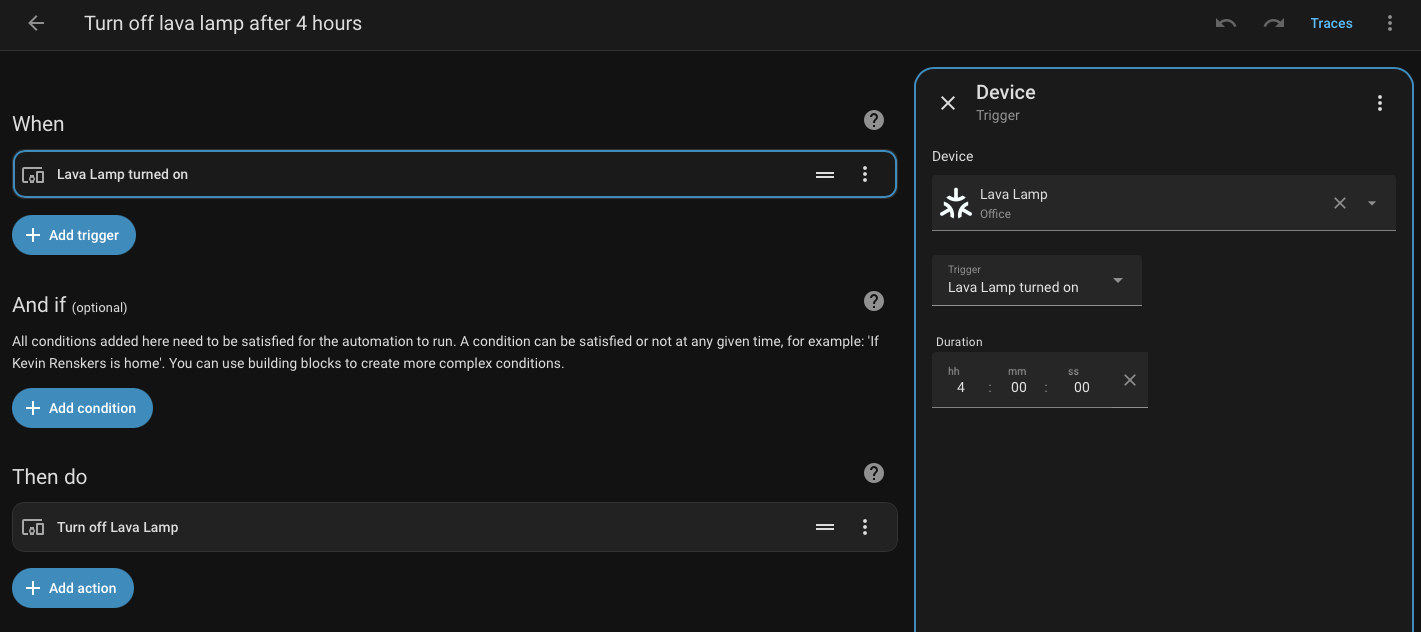
…but the YAML code is a lot easier to share on a website.
Heating automations
My heating setup is a bit more complicated, because most of the logic lives in Tado’s app. I’ve created a Smart Schedule for every room in my house, where the heating is set to specific temperatures at specific times. Using Smart Schedules, I can also configure an Away temperature.
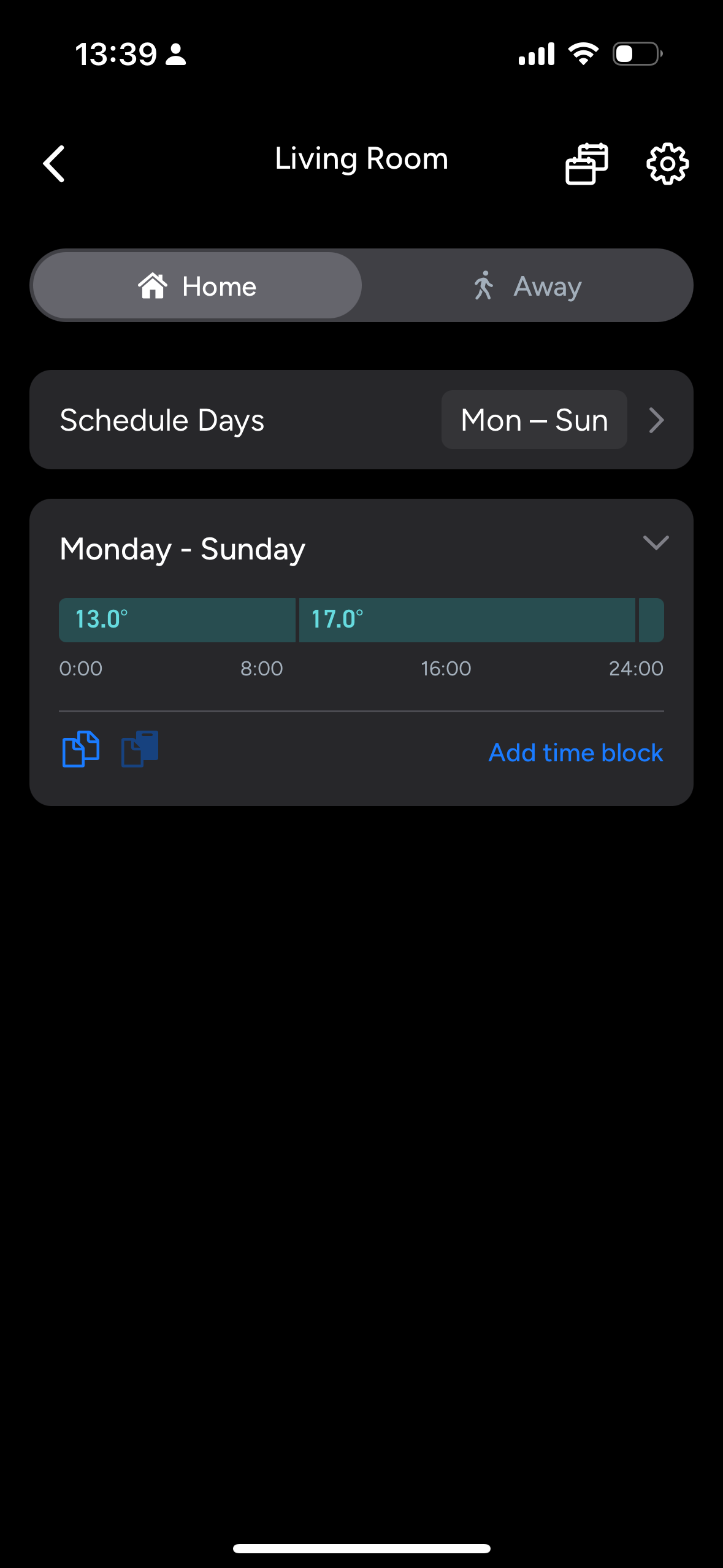
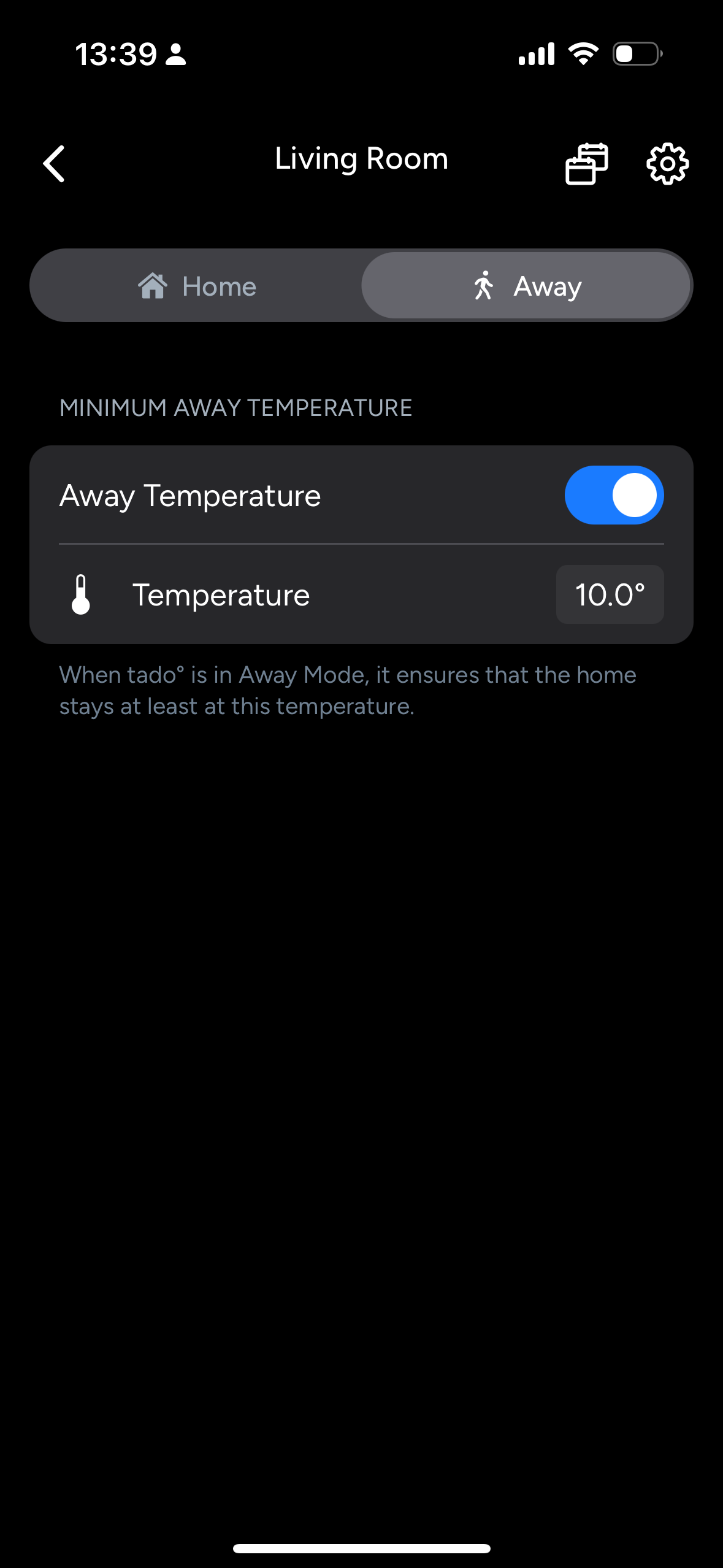
Normally, you pay Tado €4 per month to automatically switch between the Home and Away schedules based on your location. Instead, this part is outsourced to Home Assistant with two automations.
The first automation switches all rooms to Tado’s Away preset when I leave home:
alias: Turn off heating when I leave
description: ""
triggers:
  - trigger: state
    entity_id:
      - input_boolean.kevinathome
    to: "off"
conditions: []
actions:
  - action: climate.set_preset_mode
    metadata: {}
    data:
      preset_mode: away
    target:
      entity_id:
        - climate.bathroom
        - climate.kitchen
        - climate.living_room
        - climate.office_2
        - climate.toilet
mode: single
This doesn’t set temperatures directly. It simply switches Tado to its Away preset, and Tado applies the temperatures configured in its app.
There’s a similar automation for when I get back home:
alias: Heating on when home
description: ""
triggers:
  - trigger: state
    entity_id:
      - input_boolean.kevinathome
    to: "on"
conditions: []
actions:
  - action: climate.set_preset_mode
    metadata: {}
    data:
      preset_mode: home
    target:
      entity_id:
        - climate.bathroom
        - climate.kitchen
        - climate.living_room
        - climate.office_2
        - climate.toilet
mode: single
My “Good night” scene sets all rooms to 13 °C, but this doesn’t interfere with Tado’s Smart Schedules. When the next scheduled time block starts, Tado automatically resets any temporary temperature overrides. This requires one important setting in the Home Assistant Tado integration: the fallback mode must be set to NEXT_TIME_BLOCK. If it isn’t, any temperature set by Home Assistant will never be overridden by Tado’s Smart Schedule.
Future ideas
I think it could be fun to experiment with room-based presence sensors, so lights automatically turn on and off as you move through the house, but I’m not quite there yet.
Another idea is automating plant watering, both indoors using moisture sensors and outdoors using weather data. If it’s been dry and warm for several days, Home Assistant could turn on the drip irrigation system in my garden — which I already have installed, but currently need to remember to turn on manually.
It would also be nice to use my security cameras as automation triggers, but so far I haven’t found a way to integrate them into Home Assistant.
I also own a standing desk that can be controlled via an iPhone app using Bluetooth. I’d love to set up a schedule so the desk automatically goes up a few times a day. I bought the Bluetooth dongle for my Home Assistant Green and it can connect to the desk, but I haven’t managed to control it from Home Assistant yet.
There’s an enormous amount you can do with relatively cheap hardware, which is one of Home Assistant’s biggest strengths. So far I’ve been loving it: it’s been reliable and reasonably easy to set up. I highly recommend getting your own and seeing what you can automate. In my case, I started with a few Philips Hue lights, and it just grew from there. Enjoy the ride!